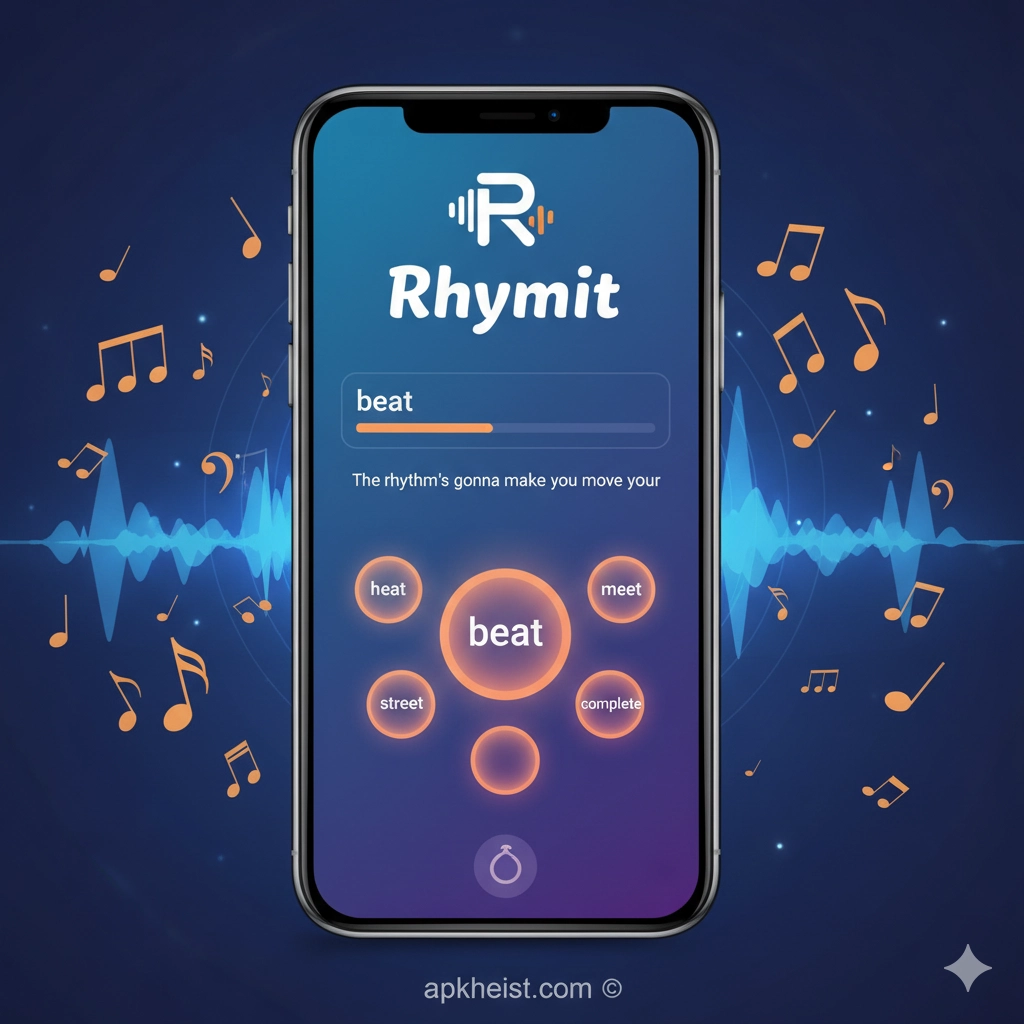
Longer overview: Built around an instant rhyming lookup and an integrated lyric editor, Rhymit combines offline rhyme databases, multisyllabic and near-rhyme filtering, and a simple editor/teleprompter feature so users can draft, rehearse and record lyric ideas in one place. It supports multiple languages and is optimized for speed by allowing users to download language packs. The app is intentionally lightweight and focused: search suggestions, rhyme variations and editor playback are aimed at accelerating the creative flow rather than replacing a full DAW or word processor.
Contents — quick navigation (selected highlights):
1. How Rhymit speeds up rhyme discovery — Short description of search, filters and offline benefits.
2. Multisyllabic and near-rhyme strategies — When to use them and creative tips.
3. Using the built-in editor and teleprompter — Drafting, playback and simple recording workflow.
4. Managing languages and offline packs — Why download language packs and how they improve performance.
5. Practical songwriting workflows with Rhymit — Templates, prompts and examples.
6. Common limitations and workarounds — What Rhymit does not do and how to bridge gaps.
7. Getting the most from Rhymit — Tips, shortcuts and export ideas.
1. How Rhymit speeds up rhyme discovery
Rhymit’s core value is instant, context-aware rhyme lookup: type a target word and the app returns matching rhymes, near rhymes and suggested alternatives in real time. The interface emphasizes low friction — results appear immediately as you write, which keeps momentum during creative sessions. Filters (such as near rhyme) let you trade precision for variety, and search suggestions help when you’re stuck on a phrase rather than a single word.
2. Multisyllabic and near-rhyme strategies
For modern songwriting, perfect single-syllable rhymes are often too predictable. Rhymit’s multisyllabic search and near-rhyme options let you locate endings and assonances that preserve tone while adding freshness. Use multisyllabic matches to maintain rhythm and syllable counts; use near rhymes to keep emotional nuance when a perfect rhyme would force awkward phrasing. Combine filters: start broad with near rhymes, then tighten to multisyllabic matches once you have a candidate line.
3. Using the built-in editor and teleprompter
Rhymit’s editor stores your verses and lets you play them in a simple teleprompter view — handy when rehearsing or recording demo videos. The editor is designed for quick iteration: paste lines from your search, reorder stanzas, and use the playback mode to practice delivery. Treat the teleprompter as a rehearsal aid rather than a full video editor — it’s ideal for lo-fi demo creation and for quickly testing how phrasing sits against a beat in real time.

4. Managing languages and offline packs
One advantage of Rhymit is per-language dictionaries you can download to work offline. Downloading language packs reduces latency and adds offline search suggestions, making the app responsive even without a connection. If you write in multiple languages, install only the languages you use most to keep storage small; each pack is intentionally compact. When exploring a new language, rely first on the online lookup if you prefer not to download the pack immediately.
5. Practical songwriting workflows with Rhymit
Start with a seed phrase, use Rhymit to populate rhyme options, then move candidates into the editor and test lines with the teleprompter. For hooks, search for multiple endings and assemble A/B variations; for verses, prioritize multisyllabic matches to preserve meter. Keep a running “stash” of favorite rhyme chains in the editor to reuse as motifs across songs. Export by copying text from the editor into your preferred DAW or lyric manager.
6. Common limitations and workarounds
Rhymit is a specialized tool: it focuses on rhyme lookup and light lyric editing rather than mixing, mastering, or advanced notation. It may not analyze harmonic context or provide chord suggestions. Workaround: use Rhymit for lyric creation and pair it with a DAW or chord app for arrangement and production. Also, when a needed poetic nuance isn’t offered by automatic suggestions, use Rhymit’s near-rhyme options as prompts rather than final choices.
7. Getting the most from Rhymit
Use keyboard shortcuts and the editor’s copy/paste to iterate rapidly. Keep a personal archive in the editor of lines and motifs that work; revisit them later for new songs. Regularly update language packs for improvements, and consider backing up editor content externally if you rely on the app for long-term drafts. Finally, experiment: use near rhymes for emotional subtlety and multisyllabic matches for stronger rhythmic control.
Internal links & references (selected from your provided list):
• SAMURAI X - X-Sword Style Game — https://apkheist.com/articles/samurai-x---x-sword-style-game-the-definitive-guide-to-blade-technique-and-mastery
• Mad GunS Game: Ultimate Guide to Chaos — https://apkheist.com/articles/mad-guns-game-ultimate-guide-to-chaos-weapons-and-winning
• City Fighter vs Street Gang Game — https://apkheist.com/articles/city-fighter-vs-street-gang-game-urban-brawl-master-the-streets
• Into the Dead: The Ultimate Runner — https://apkheist.com/articles/into-the-dead-the-ultimate-runner-style-zombie-survival-guide
• Pocket Necro Game: The Ultimate Dark Sum — https://apkheist.com/articles/pocket-necro-game-the-ultimate-dark-summoning-adventure-explained
• Battle Bay Game — Definitive Tactical — https://apkheist.com/articles/battle-bay-game-definitive-tactical-guide-for-competitive-players
• How Does the SolaXCloud App Empower — https://apkheist.com/articles/how-does-the-solaxcloud-app-empower-smarter-solar-energy-management-
FAQs — common questions about Rhymit
Q1: Is Rhymit free to use?
A1: The app offers a free tier with ads and optional in-app purchases or premium modes in some stores; core rhyme lookup and basic editor features are available without payment.
Q2: Can Rhymit work offline?
A2: Yes — Rhymit supports offline operation if you download the language pack(s) you need, which improves speed and enables offline suggestions.
Q3: Does Rhymit handle multisyllabic rhymes?
A3: Rhymit provides filters for multisyllabic and near-rhyme searches to help you match rhythm and tone, although complexity varies by language and dataset.
Q4: Can I back up my lyrics from Rhymit?
A4: Some platforms or versions plan cloud backup features (for example via social login) — check the app version or the developer notes in the store for available backup options.
Q5: What languages does Rhymit support?
A5: Rhymit supports multiple languages; available language packs vary by release and platform. Install only the languages you need to conserve device space.
Q6: Is Rhymit suitable for professional songwriters?
A6: Rhymit is a focused creative aid rather than a full production suite. Many professionals use rhyme tools as ideation helpers; integrate Rhymit into a broader toolkit for arrangement and production.
Q7: Where can I download Rhymit?
A7: Rhymit is listed on major app stores (Google Play, Apple App Store) and on the official website; follow your platform’s standard download flow and check the developer notes for version details.





